

Sunday, December 14, 2008

Friday, December 12, 2008
Harry Potter and the goblet of fire, and Coins For Change
hiya everyone! its been 13 days since my last post! sorry! i really am enjoying the book im reading!
Harry Potter and the Goblet of Fire!
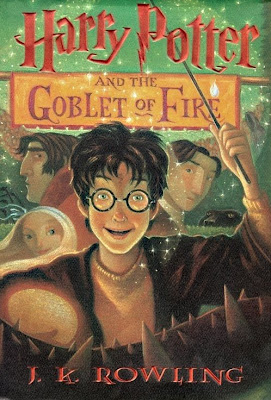 I'm almost done!
also coins for change is going on. coins for change is an amazing idea, and i hope everyone and every charity gets a great amount of money!.

whoo
you're friend goofy73
Harry Potter and the Goblet of Fire!
 I'm almost done!
also coins for change is going on. coins for change is an amazing idea, and i hope everyone and every charity gets a great amount of money!.

whoo
you're friend goofy73
Saturday, November 29, 2008
Friday, November 21, 2008
Ninja!
hiya everyone! sorry i haven't been posting in a while. I've been earning up my black belt!


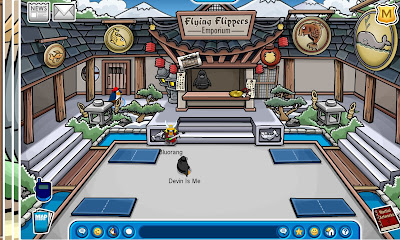
im so happy im a ninja! i beet the Sensei! its easy! just when you become a black belt, keep playing him and about 7 times you play him he will lose!
here's the hideout!


im so happy im a ninja! i beet the Sensei! its easy! just when you become a black belt, keep playing him and about 7 times you play him he will lose!
here's the hideout!
Saturday, November 15, 2008
How to make the buttons
hiya everyone many of you are wondering how i made the buttons up top. well follow these step-by-step instructions
1. go to http://www.cooltext.com
2. click buttons on the top bar
3. pick your text, font, etc.
4. make sure you pick a mouseover
5. now click render button than download the top image
6. go on to your blog
7. click new post
8. click picture
9. find the picture and click left than upload it
10. if you want to do a blog, then make sure you hit 2008 on the archive
11. then copy the whole URL
12. now go back to the post and click "Edit Html"
13. now look where it show a URL in the picture (its at the very begining and in between quotation marks)
14. highlight that (everything inside the quotation marks except for the quotation marks)
15. delete it
16. now take the URL you copied and put it in between those quotation marks
17. copy the whole the whole thing ( and also there is a URL at the bottom too but that one you keep)
18 now got to you blog and click customize than click add gadget
19. click the Html one
20. save it!
21 whallah!
i put mine under my header if that's what you want.
whoo good luck!
1. go to http://www.cooltext.com
2. click buttons on the top bar
3. pick your text, font, etc.
4. make sure you pick a mouseover
5. now click render button than download the top image
6. go on to your blog
7. click new post
8. click picture
9. find the picture and click left than upload it
10. if you want to do a blog, then make sure you hit 2008 on the archive
11. then copy the whole URL
12. now go back to the post and click "Edit Html"
13. now look where it show a URL in the picture (its at the very begining and in between quotation marks)
14. highlight that (everything inside the quotation marks except for the quotation marks)
15. delete it
16. now take the URL you copied and put it in between those quotation marks
17. copy the whole the whole thing ( and also there is a URL at the bottom too but that one you keep)
18 now got to you blog and click customize than click add gadget
19. click the Html one
20. save it!
21 whallah!
i put mine under my header if that's what you want.
whoo good luck!
Monday, November 10, 2008
MORE NINJA PROOF MORE DOJO MORE AWESOMENESS!

hiya everyone! this is awesome! ninja training in one week! whoo! let us start a konga doo doo doo doo doo doo! oh whoops got carried away hehe.
ok so now look at this ninja training on the 17th

also they dug out a whole entire top part of the dojo! a water fall, railings! puffle statues! and the Sensay got closer! whoo!

and lastly they upgrade it on the map look!

whoo! SO MUCH EXCITEMENT!!!
you're friend goofy73
ok so now look at this ninja training on the 17th

also they dug out a whole entire top part of the dojo! a water fall, railings! puffle statues! and the Sensay got closer! whoo!

and lastly they upgrade it on the map look!

whoo! SO MUCH EXCITEMENT!!!
you're friend goofy73
Sunday, November 9, 2008
Clubpenguin Puzzles!

hiya everyone!
clubpenguin has puzzles!
right now clubpenguin has and awesome 3D map puzzle!
.3D
.60 pieces
. Awesome!
 Next a drilling the iceberg puzzle!
.2D
.100 pieces
. a mystery??
 wowza whoo!
you're friend friend goofy73
Subscribe to:
Posts (Atom)